

The whole family
Your home's records belong to everyone who lives there — and so does the work.
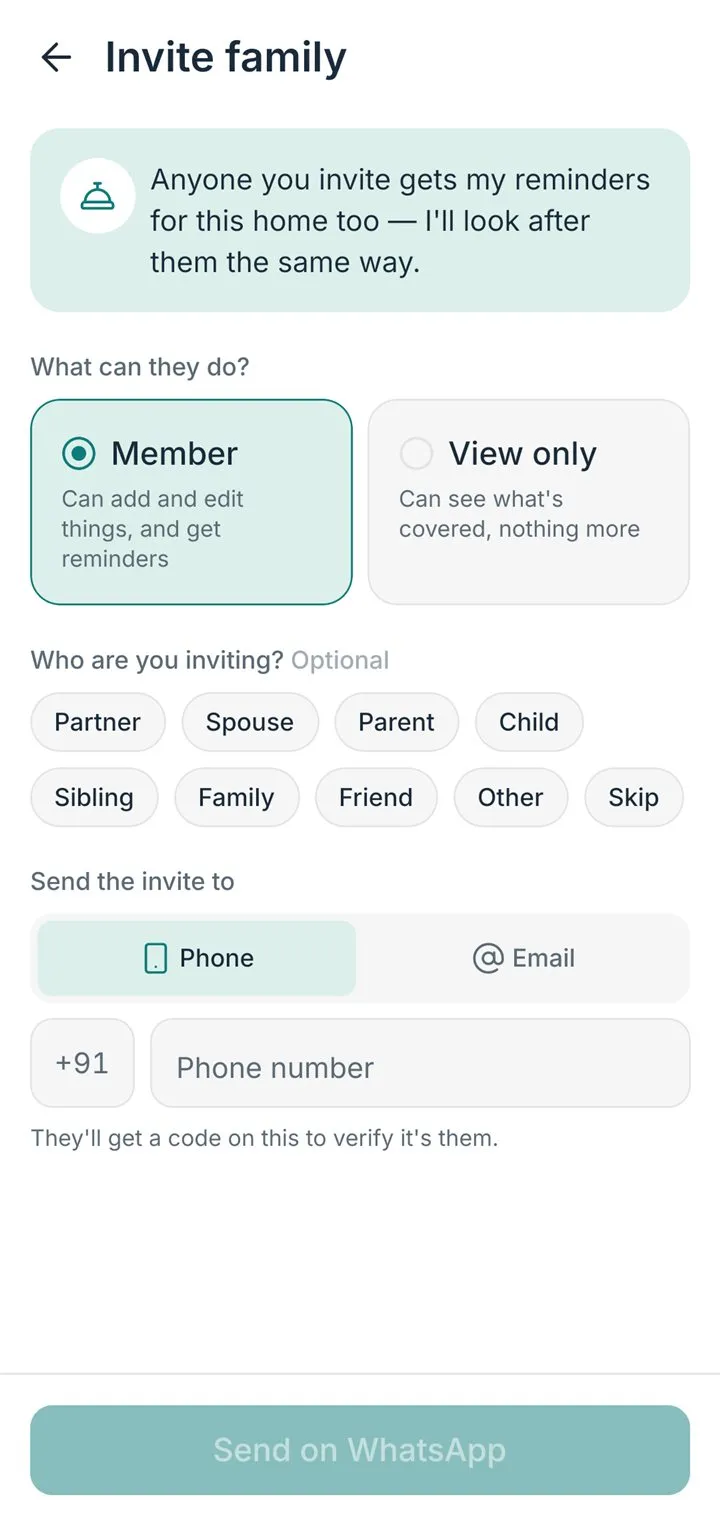
Invite your family on WhatsApp or by email. Everyone sees every thing and every paper. Reminders go to the person who looks after that thing — and to you.
Coming soon to both stores.

Everyone in, free.
No limit on family members, on any plan.
Share the work.
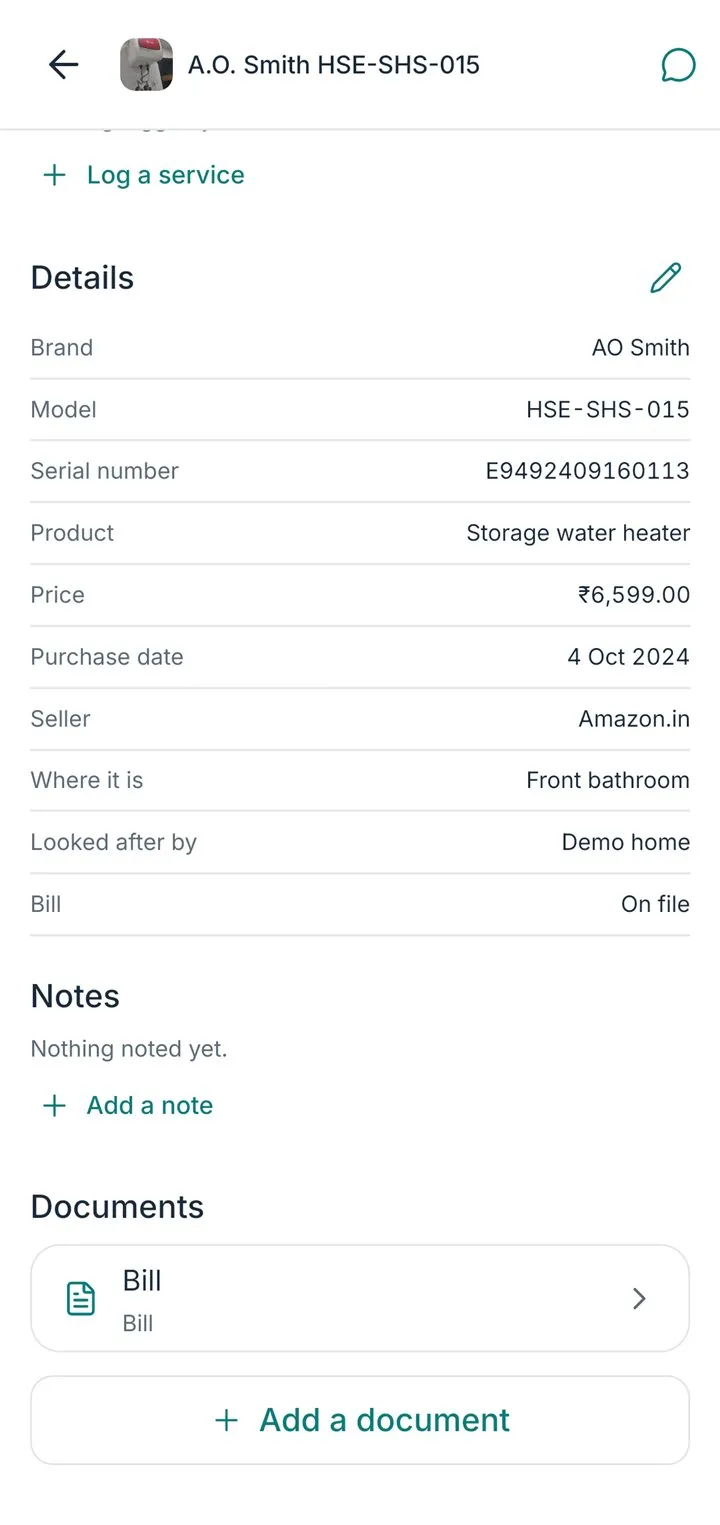
Hand a reminder to a person. Say who looks after the washing machine. Each member’s Mine tab shows only theirs.
You choose what each person can do.
A member adds, edits and marks things done. Someone view-only sees what’s covered, nothing more. Only the owner invites or removes.
Three screens.
The app, as it is today.
Who can do what
- A member — add things, edit them, add papers, mark reminders done.
- View only — see what’s covered, nothing more.
- The owner — all of that, plus inviting and removing people.
A thing’s reminders reach the person who looks after it and the owner.
Can my family see my things?
Only the people you invite to your home. A member sees the home's things and reminders; an owner can also change the home, invite and remove people.
How do I invite someone?
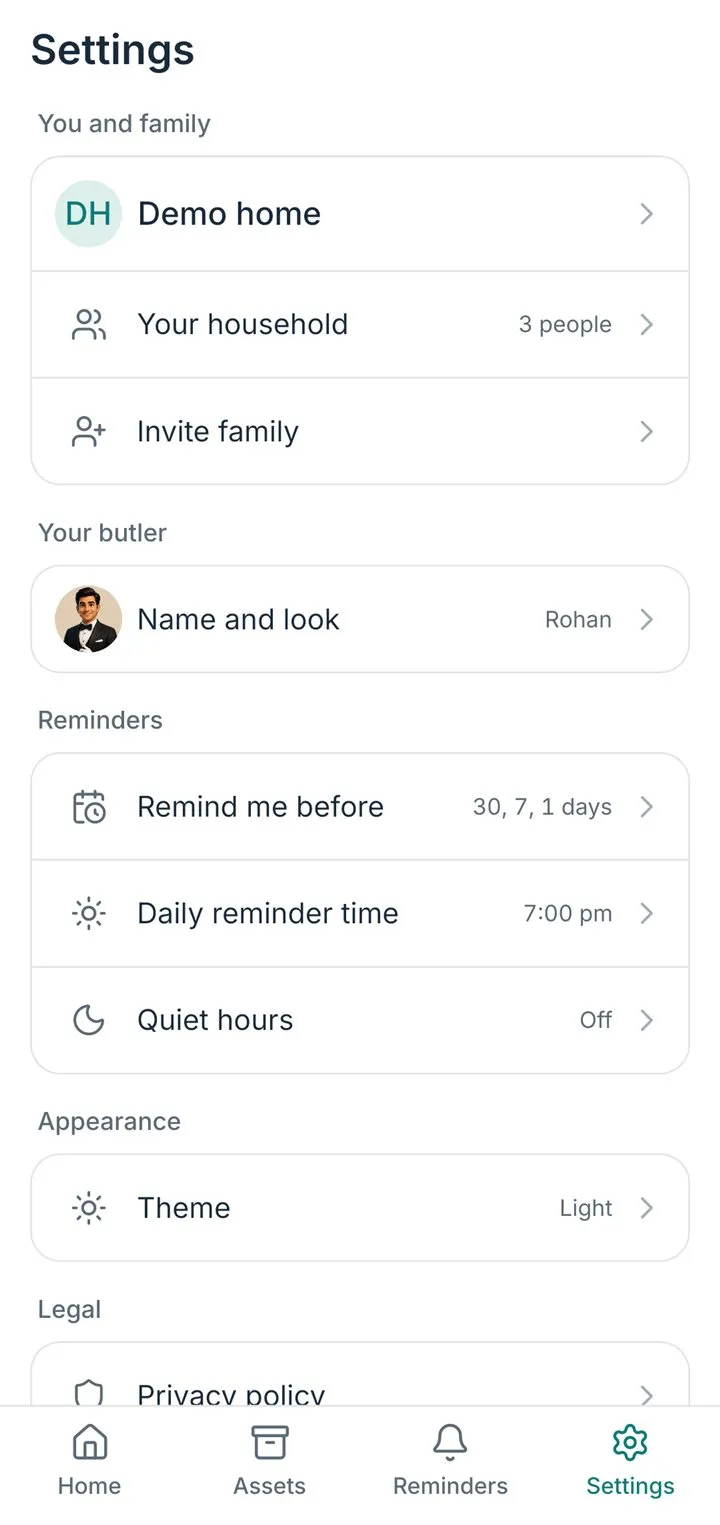
- Open HomeButlr and go to the Settings tab.
- Tap Invite family.
- Send the private link by WhatsApp, email or message. It works for 7 days and for one person.
- They install HomeButlr, sign in, tap the link, and join your home.
How do I remove someone?
- Open HomeButlr and go to the Settings tab.
- Tap Your household, then the member's name.
- Choose Remove and confirm.
Only an owner can remove someone, and an owner cannot remove themselves without handing the home to another owner first.