
Walk the room
One video. Every thing in the room, listed.
Walk through a room with your phone, say the room's name aloud, pause on each thing. Rohan lists what he saw — brand, kind, a picture cut from your own video — and you keep what's right.
Coming soon to both stores.
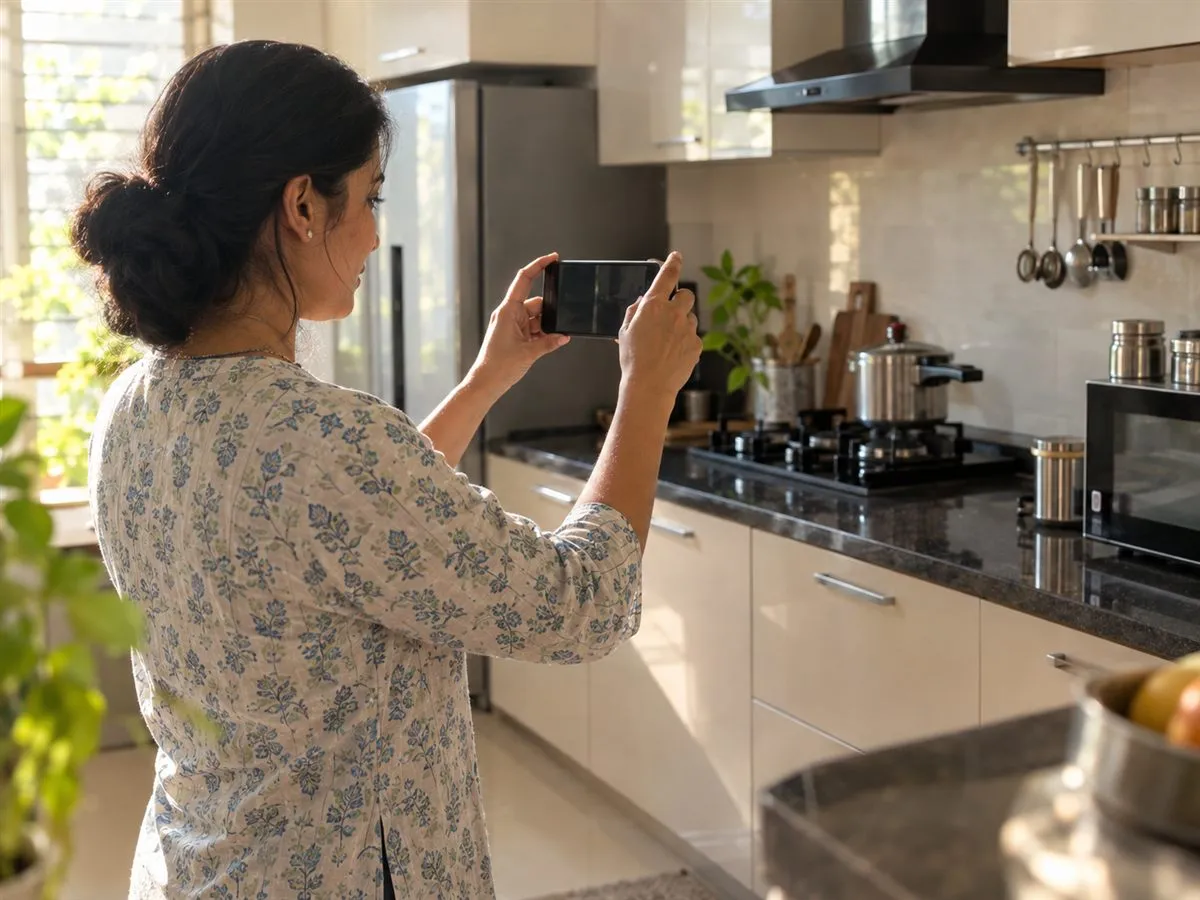
A room in a minute.
One video can cover the kitchen and the living room. Hold the phone sideways; name each room as you enter it.
Drafts, not guesses.
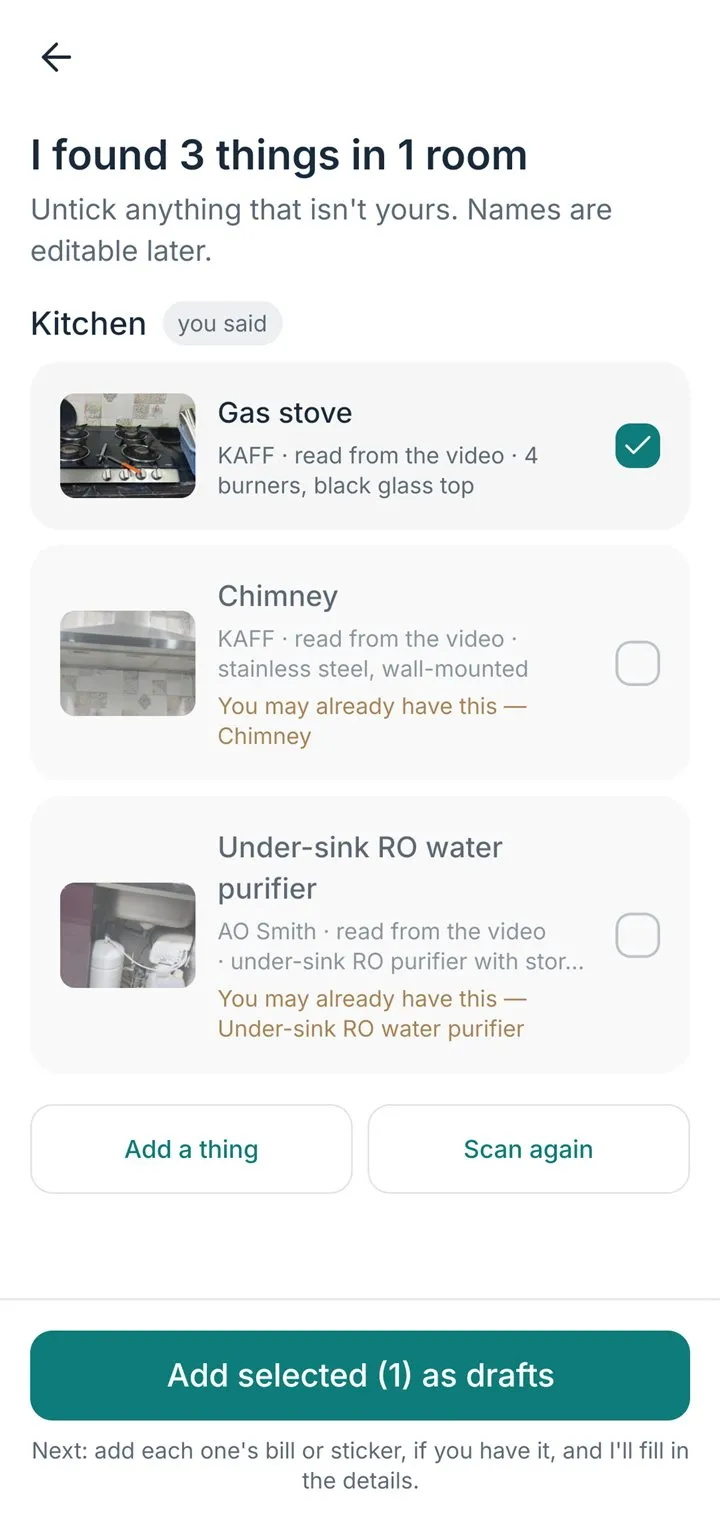
Everything he finds arrives as a draft with a picture. You confirm each one; a wrong one is one swipe from gone.
Then the papers.
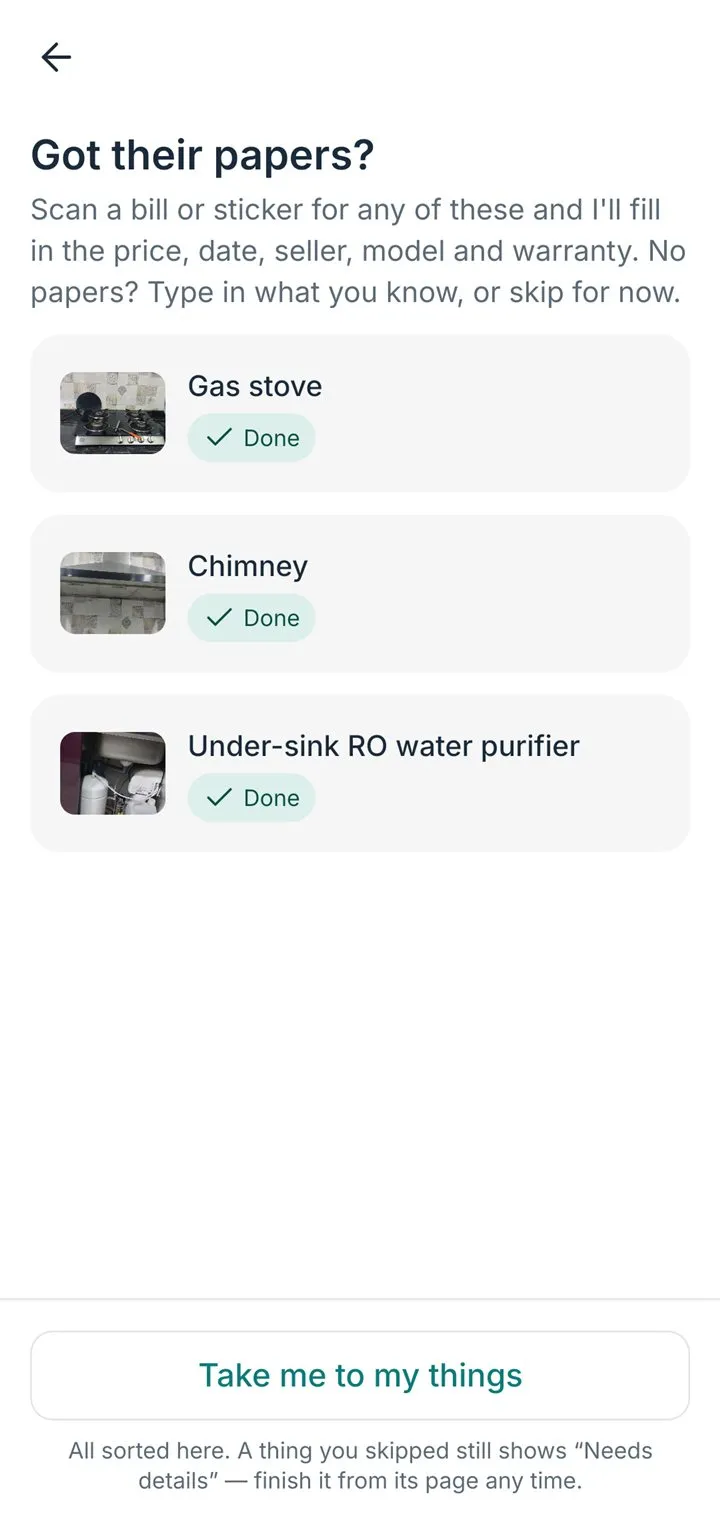
Got the bill or the sticker? Scan it straight onto the draft and the details fill in.
Three screens, one walk.
The app, as it is today.
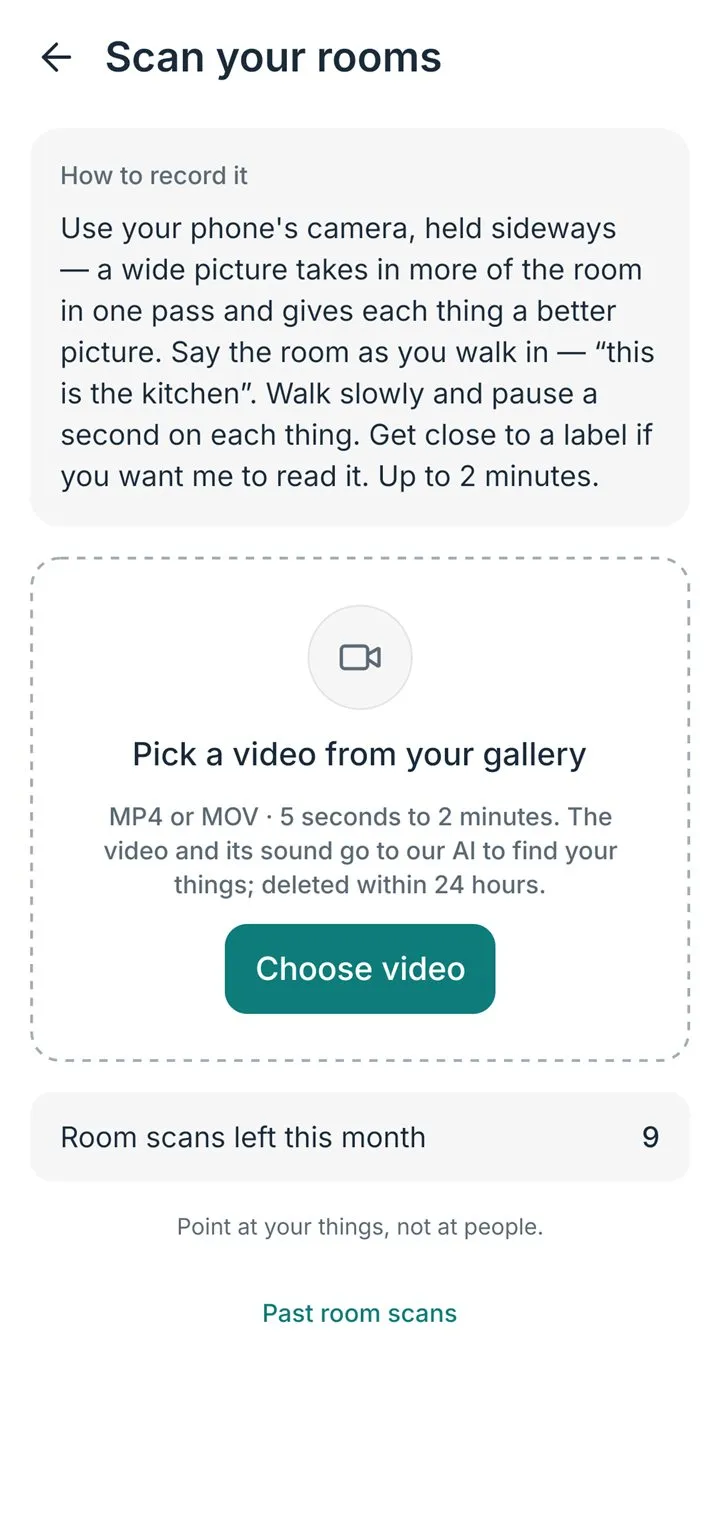
What the app tells you before you start
- Hold the phone sideways.
- Say the room's name as you enter it.
- Pause a second on each thing.
A draft is a thing Rohan found that still wants its details — a bill, a sticker, or a line typed in. It is yours to keep or drop.
Can I add a whole room at once?
Yes, in four steps.
- Record a short video with your phone's own camera app — not HomeButlr. Hold the phone sideways, walk slowly, pause a second on each thing, and say the room's name and anything you know as you go: "kitchen, the LG fridge is from 2023". One video can cover several rooms.
- Open HomeButlr and tap the + button at the bottom right.
- Choose Scan your rooms and pick that video from your gallery.
- I list what I saw and heard, each thing with its own picture. Tick the ones you want and they are added as drafts.
There is a limit on how many room scans you can run in a month; the screen shows how many are left.
What is a draft, and why does a thing say it needs details?
A thing that came from a room scan is a draft: I know what it is and where it is, but not its model, price or warranty. It works like any other thing — you can open it, ask me about it and set reminders.
To finish it:
- Open HomeButlr and go to the Things tab. Tap the Needs details chip to see every draft together, or the line on Home that counts them.
- Open the thing.
- Do any one of these — tap Add a document and photograph its bill or product sticker, and I fill in the rest; or tap Edit and type what you know; or set its warranty.
Any of those ends the draft, and it becomes an ordinary thing.