

Your things and papers
Everything you own. One place. Every paper.
Each thing keeps its own bill, warranty card, AMC, manual and service history. Search by name, brand, room, kind or number plate.
Coming soon to both stores.

Every paper in its own words.
A bill has a bill number. An RC has a registration number and the date it was registered. A warranty has an end date.
A service history that means something.
Who came, what kind of job it was, who paid — you, the warranty, the AMC or the insurer — and what it cost you.
Rooms, the way your house is laid out.
Kitchen, bedrooms, the balcony, the garage.
Three screens.
The app, as it is today.
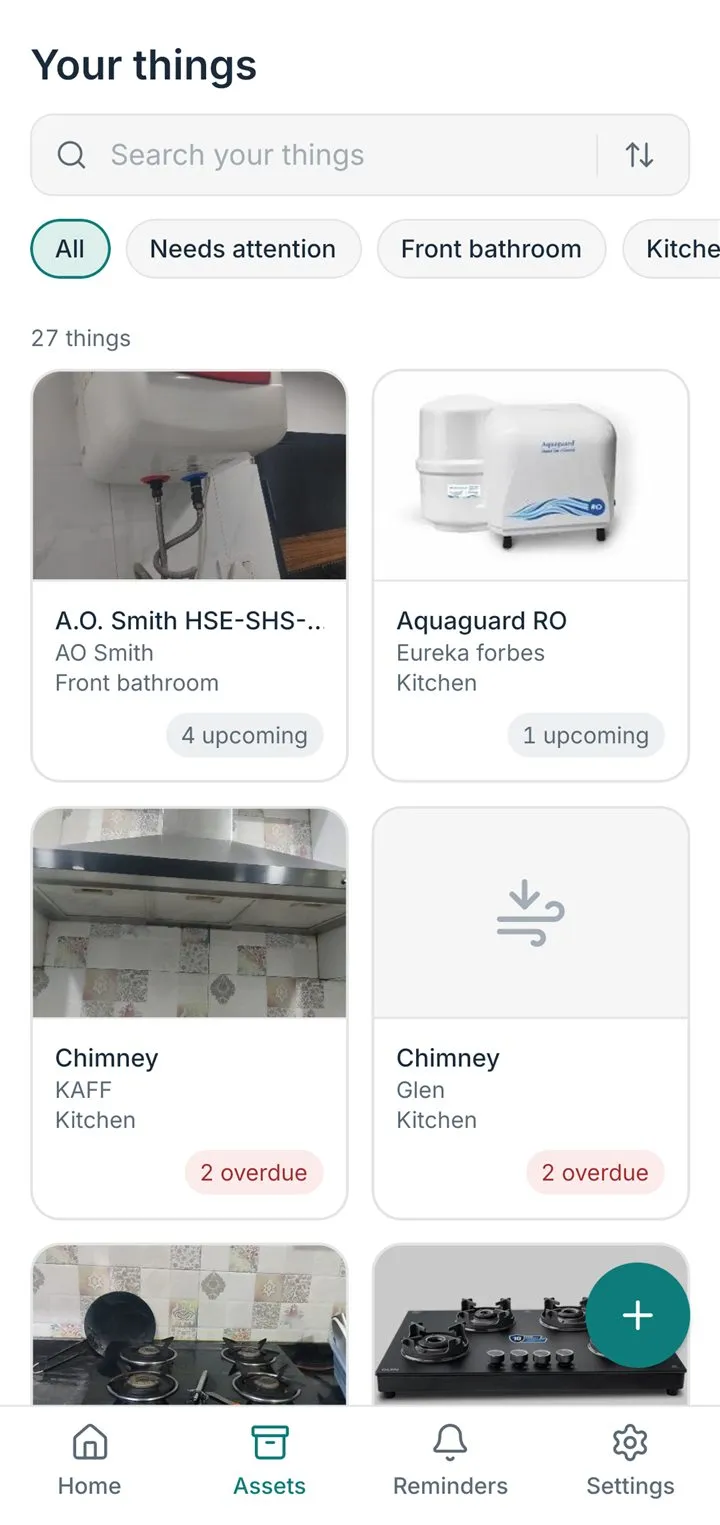
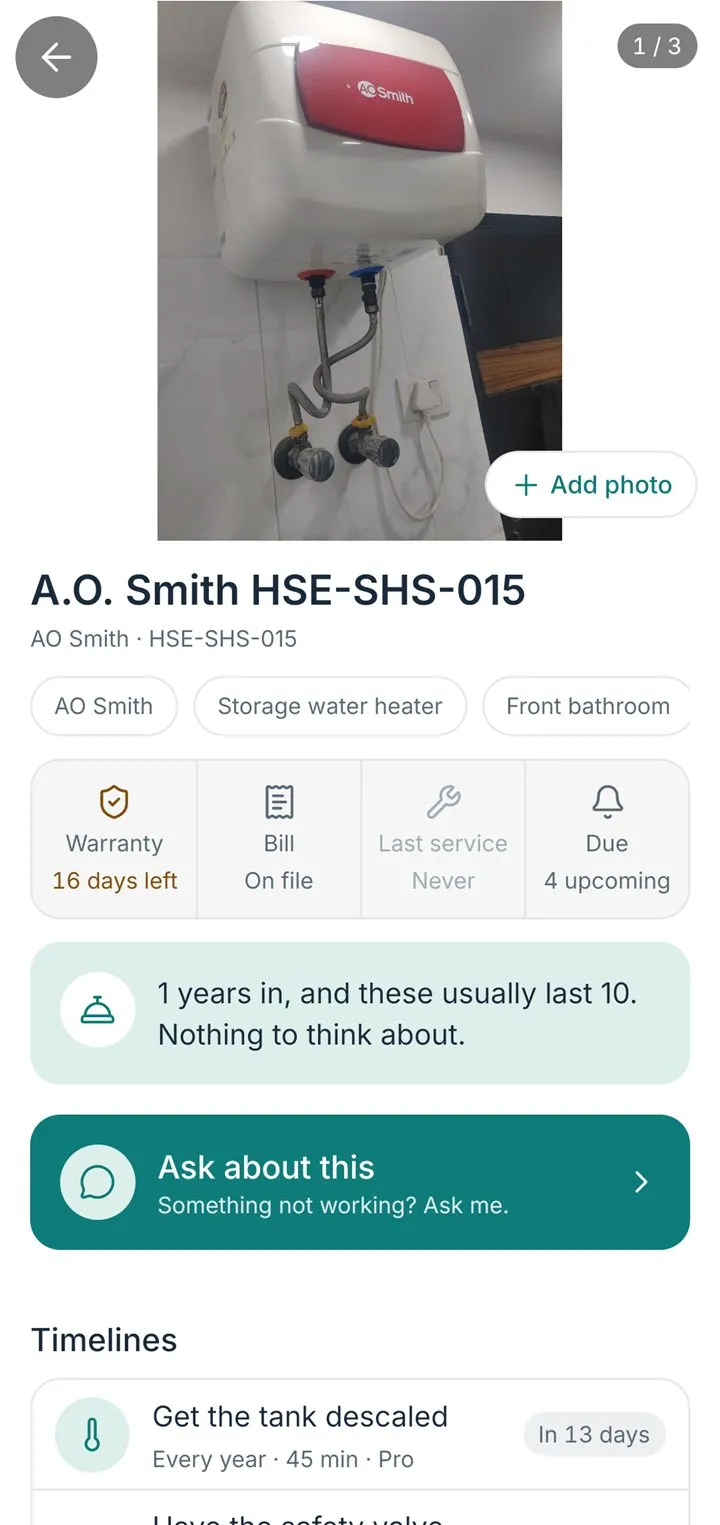
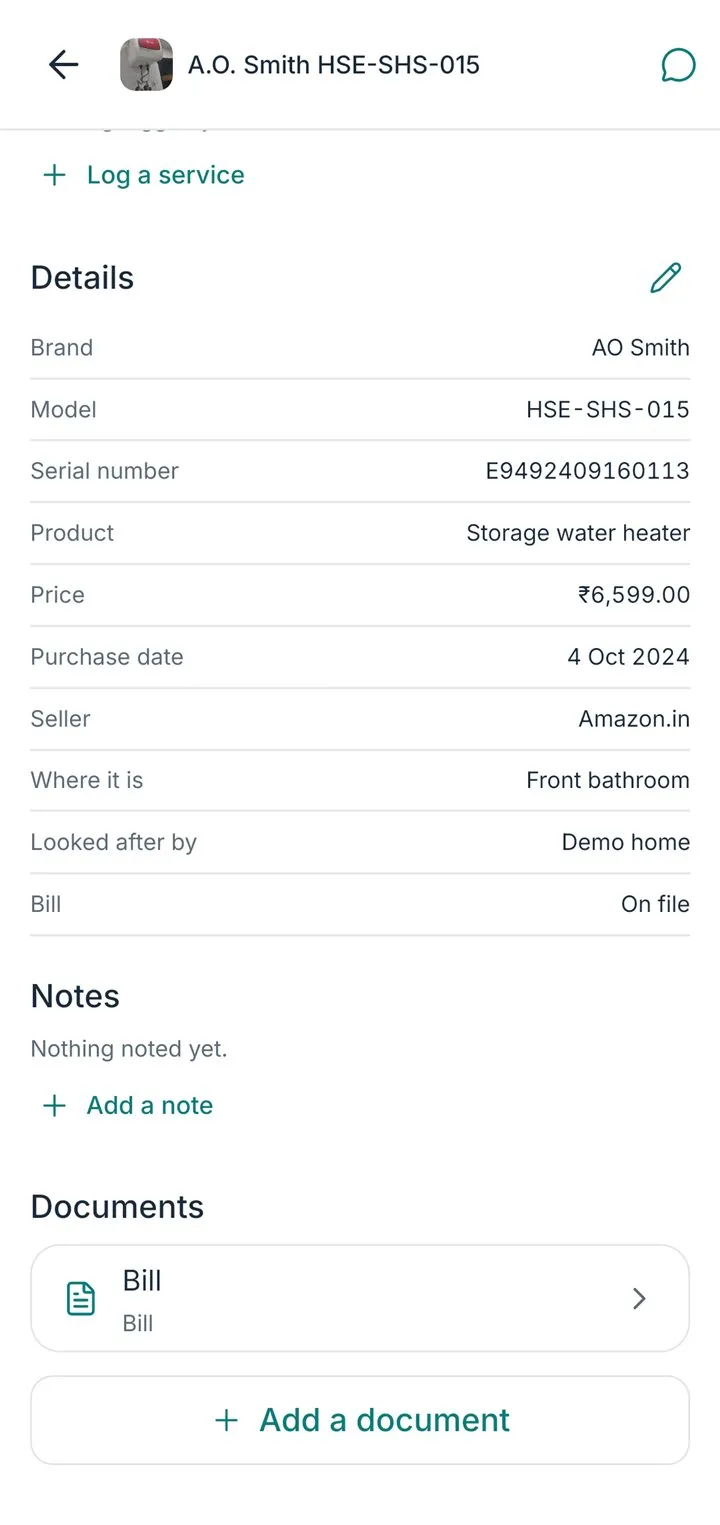
A thing’s page holds
- The bill and the warranty card
- The AMC and the manual
- Photos of the thing
- Its service history
- Who looks after it
Take a copy of everything, any time — Settings → Export my data.
Where do warranty dates come from?
From you. Bills rarely say how long the warranty is, so after a scan I ask: the usual warranty for that kind of thing is suggested, and you confirm or change it. If the thing is already out of warranty, say so and I'll keep it without reminders.
Can I attach an AMC, a manual or a warranty card?
Yes.
- Open HomeButlr, go to the Things tab and open the thing.
- Tap Add a document.
- Photograph it, or pick a photo, a PDF or a file, and choose what it is — bill, warranty card, AMC, manual or other.
- For an AMC, enter its end date. It then counts as cover, and I remind you before it runs out just as I do for a warranty.
Can I organise things by room, the way my house is laid out?
Yes. Every thing has a room: my bedroom, Adi's bedroom, kitchen, living room, garage, basement, guest room — whatever you call them. Pick a room you have used before or type a new one when you add or edit a thing. On the Things tab, the room chips at the top show one room at a time, and you can ask me "what's in the guest room".
How do I delete a thing?
- Open HomeButlr, go to the Things tab and open the thing.
- Choose Delete and confirm.
It goes to the bin for 7 days, so a mistake can be undone; after that it is gone for good.